Solved: Difficulty binding to ViewModel in React Native
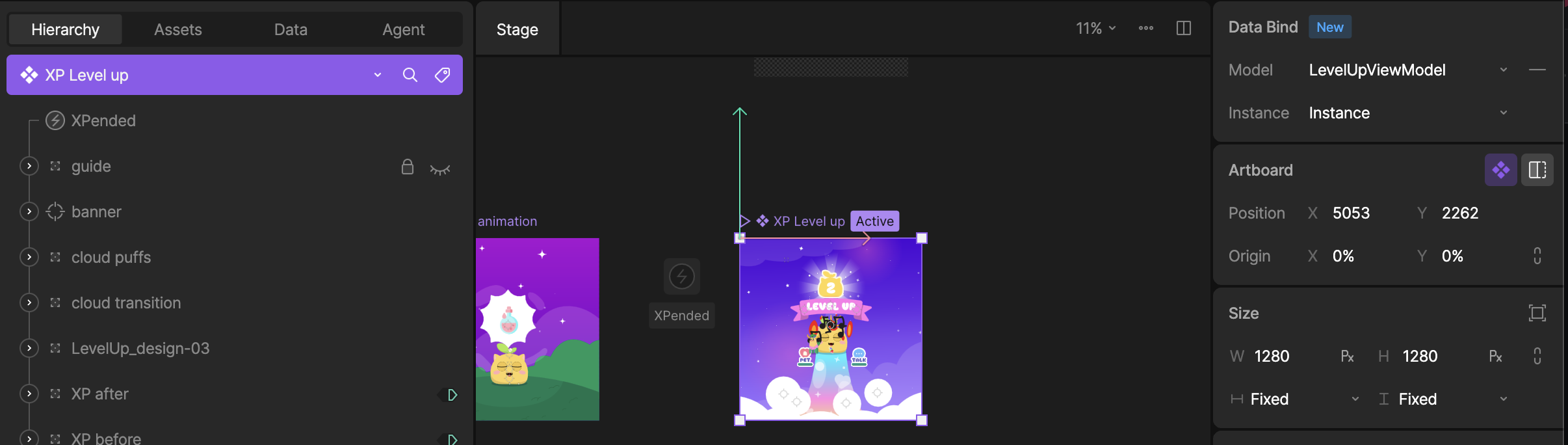
Hi. I’m having trouble getting the new Nitro-based react native library to data bind to my view model. My rive file has multiple artboards, the one I’m rendering for my animation is called: “XP Level up” and it’s bound to a ViewModel called “LevelUpViewModel”:
This view model has a few properties, a trigger, and also a nested view model:
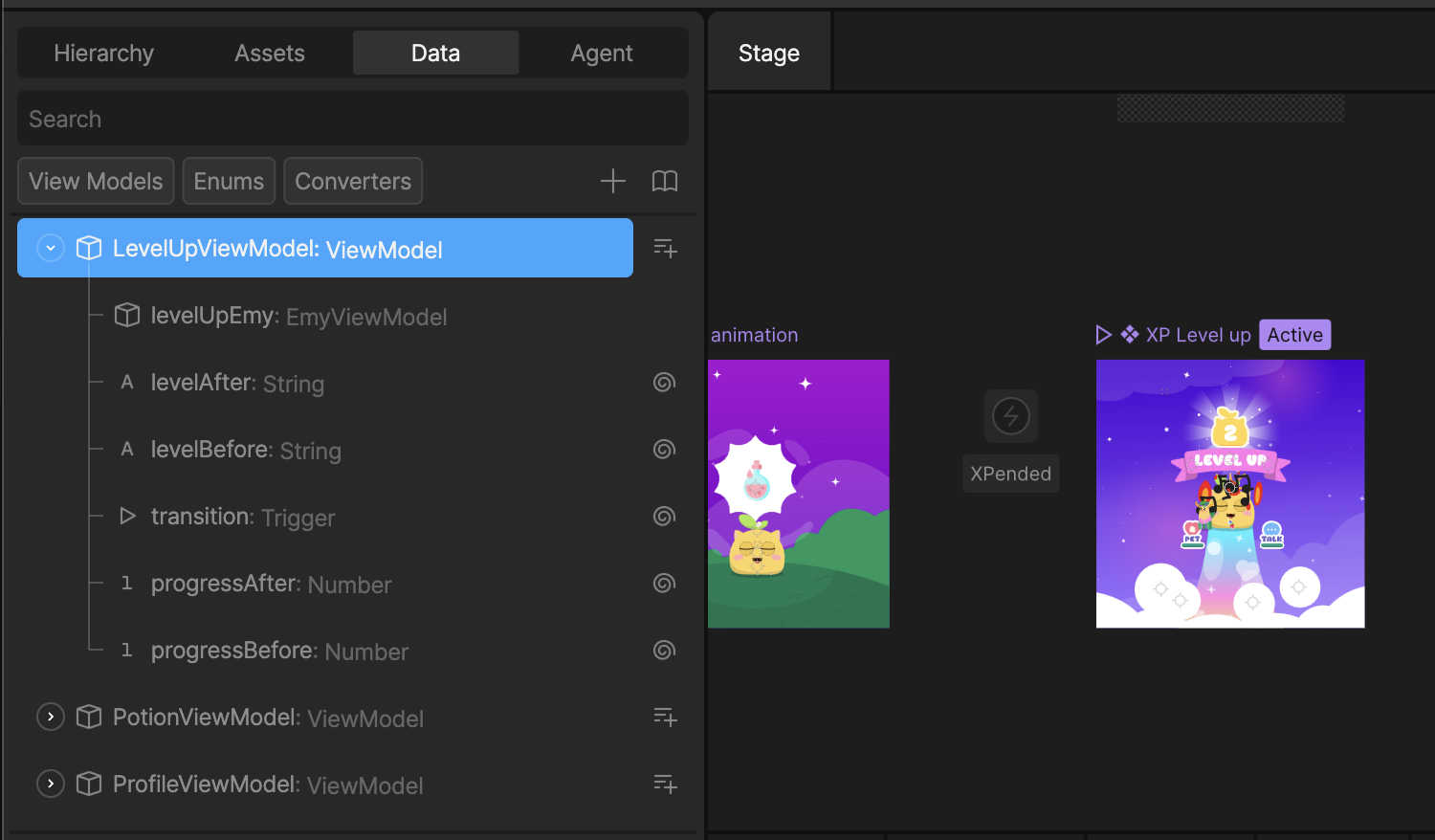
I’m trying to set some initial values for these props but it’s not having any effect. I’m doing this:
const { riveFile } = useRiveFile(require(filePath));
const { riveViewRef, setHybridRef } = useRive();
function onVmiInit(vmi: ViewModelInstance) {
console.log({
name: vmi.name,
instanceName: vmi.instanceName,
});
vmi.stringProperty(“levelAfter”)!.value = String(level + 1);
vmi.stringProperty(“levelBefore”)!.value = String(level);
}
const vmi = useViewModelInstance(riveFile, {
name: "LevelUpViewModel",
onInit: onVmiInit,
});
const { trigger: transition } = useRiveTrigger(“transition,” vmi);
// …
return (
<RiveView
artboardName="XP Level up"
autoPlay
file={riveFile}
fit={Fit.Cover}
hybridRef={setHybridRef}
style={style}
/>
);
When I view my console I can see the log message from onInit which is showing:
{"instanceName": "Instance", "name": "ViewModelInstance"}
I was expecting the name to be “LevelUpViewModel” but perhaps I’m misunderstanding what that “name” refers to.
Can you give me any pointers about how to correctly access the right view model instance?
Thanks!